Professional Menu Photo Generator for Restaurants
Turn your phone food photos into clean, professional menu photos in seconds — real enhancement, no AI fakes.


Optimized for Food Platforms
Create content that works perfectly across all delivery and review platforms


Photos Edited by Our Users
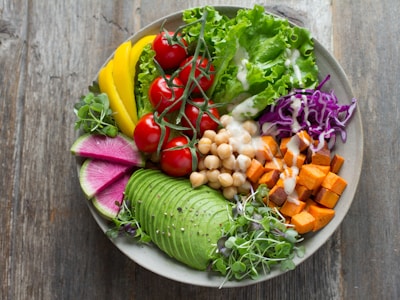
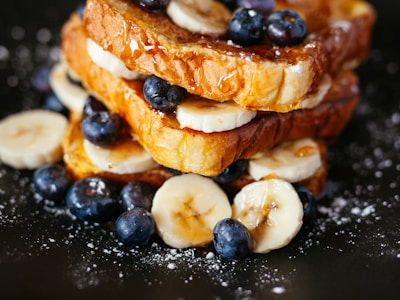
Real restaurant owners, food trucks, and cafes. This is the quality you'll get.





Join 5,000+ restaurants already using YumSnap
WHAT OUR CUSTOMERS SAY
Here's what restaurant owners are saying
See how restaurant owners transformed their food photos and boosted their business
"I was skeptical but it actually doesn't change the food at all - just makes my menu photo look professional. My tacos still look like my tacos."
Rosa M.
Rosa's Tacos
"The detail in the enhanced images is simply incredible. Every texture shows up perfectly now."
Francis D.
Dough Man Foods
"My phone photos were trash. Bad lighting, messy background. Now they look like I hired someone. Customers are ordering more since I updated my photos."
J. Kim
Seoul Street Eats
"Honestly saved my ass. We were quoted $600 for a menu photo shoot and I just couldn't afford it as a new business. This works just as well."
Miguel
Libre Tacos
"As a small bakery we can't compete with big chains on marketing budget. But now our photos look just as good as theirs. Finally feel like we can compete."
Lisa
Sweet Things Bakery
"Customers actually comment on how appetizing our menu photo looks on DoorDash now. Worth every penny."
Jen K.
K's Kitchen
WHY YUMSNAP
Better Photos. More Orders.
Your menu photos are your silent salespeople. When customers browse delivery apps, they make decisions in seconds based on how your food looks.
Your Menu Is Your Storefront
A mouth-watering photo is the difference between a scroll and a sale. On platforms like DoorDash and Uber Eats, customers can't smell or taste your food—they buy with their eyes first.
Restaurants with professional food photos see up to 30% more orders according to delivery platform data.


Real Food, Professional Look
YumSnap enhances your actual dishes—not AI-generated fakes. Your tacos still look like your tacos, just with better lighting, cleaner backgrounds, and colors that pop.
- ✓Keeps your real food authentic
- ✓Cleans messy backgrounds automatically
- ✓Consistent style across your entire menu


Skip the $500 Photoshoot
Professional food photography costs hundreds per session, plus scheduling headaches. YumSnap gives you menu-ready photos from your phone in seconds—perfect for small restaurants, food trucks, and ghost kitchens.
$500+
Traditional photography
$2.99
Per photo with YumSnap
 ⚡ Ready in 10 seconds
FEATURES
Everything You Need for Menu-Ready Photos
YumSnap is built specifically for restaurant food photography—no design skills required
One-Click Enhancement
Upload your phone photo and get a professional result in seconds. No sliders, no settings—just instant improvement.
Background Cleanup
Automatically removes messy tables, cluttered counters, and distracting elements. Your food stays, the mess goes.
Smart Lighting Fix
Brightens dark photos and balances colors so your dishes look as good as they taste—even from bad phone cameras.
Multiple Output Sizes
Get Square (1:1) for Instagram and delivery apps, plus Classic (3:2) for menus and websites—all from one upload.
Before/After Downloads
Download your enhanced photo plus a side-by-side comparison image—perfect for social media proof.
Bulk Processing (Coming Soon)
Upload your entire menu at once and enhance all photos with consistent style. Perfect for menu refreshes.
Choose Your Plan
Start with 10 free credits. Pay only for what you need—no hidden fees, no subscriptions required.
Best for restaurants with ongoing menu updates
Starter
Professional
New users get 10 free credits to try YumSnap
No credit card required. Start enhancing your menu photos today.
FAQ
Frequently Asked Questions About Menu Photos
What is a Menu Photo Generator?
A menu photo generator is an AI tool that transforms simple food photos—often taken with a phone—into clean, professional menu photos. YumSnap enhances lighting, removes distracting backgrounds, and makes your menu photos more appealing for your menu, website, or delivery apps.
How does YumSnap enhance menu photos?
YumSnap acts as a menu photo enhancer by sharpening details, improving lighting, and cleaning backgrounds. It instantly upgrades low-quality phone food photos into polished, professional menu photos without hiring a photographer.
Can YumSnap replace a restaurant photographer for menu photos?
For many restaurants, yes. YumSnap provides professional-looking menu photos in seconds, making it a cost-effective alternative to hiring a restaurant photographer—especially for small restaurants, ghost kitchens, and food trucks.
Does YumSnap work for menu photo editing?
Yes. YumSnap works as a menu photo editor and menu photo maker. It improves dish clarity, corrects lighting, and removes clutter so you can use the enhanced menu photos directly in your menu design tools or digital menu boards.
Can YumSnap generate professional menu photos from my phone pictures?
Yes. YumSnap is designed for real food photos taken with a phone. It uses AI to enhance the original dish—without changing the food—so your menu photos stay accurate while still looking clean and professional.
What is the best tool to clean restaurant food photos?
YumSnap is a restaurant photo cleaner that removes messy backgrounds, shadows, and visual noise. It keeps the real plate and food intact while making the image look professionally shot.
Can I use YumSnap for my restaurant's social media photos?
Absolutely. Enhanced menu photos also work great for restaurant social media posts, Instagram content, online ordering pages, and promotional materials.
Is YumSnap useful for food trucks and ghost kitchens?
Yes. Many food trucks and ghost kitchens use YumSnap because they need high-quality dish photos but don't have the budget or time for professional photography sessions.
Does YumSnap create restaurant menu images?
Yes. YumSnap acts as a restaurant menu image generator by upgrading your dish photos so they can be inserted directly into digital menus, menu design apps, or printed menus.
How is YumSnap different from a normal photo editor?
Traditional photo editors require manual adjustments. YumSnap is built specifically for food photos—using AI trained to enhance dishes, improve colors, and clean backgrounds with one click.
Can YumSnap improve low-quality or dark food photos?
Yes. YumSnap uses AI lighting correction and detail enhancement to brighten and clarify even poorly lit food photos.
Start Building
YumSnap lets you enhance photos in seconds, simply and effortlessly